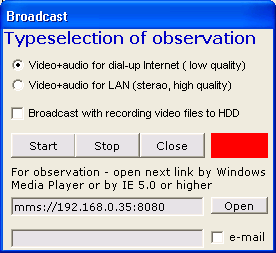
CSSS Video Pro - Computer Security System with motion detection by camera. The principle of action bases on camera real time survey and if it is necessary do many operation (play sound file (siren), record sound, video or snapshot, call by telephone). In case of voice modem usage, there is a possibility of listening of a guarded room by telephone. It's professional edition of CSSS Video with more powerful extensions, as compression video files, broadcasting and other...

CSSS Video Pro description:
It's professional edition of CSSS Video with more powerful extensions, as compression video files, broadcasting and other.
Configuration & Properties
CSSS Video Pro interface consists of four modules: video module, alarm(notification) module, operation and timer module.
Supports: Windows 95, 98, ME, NT 4.0, 2000, XP
CSSS Video Pro Screenshots:
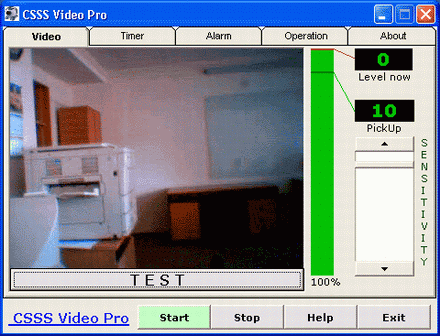
Video - Monitoring module with visual motion detector
Notification module (communication system)
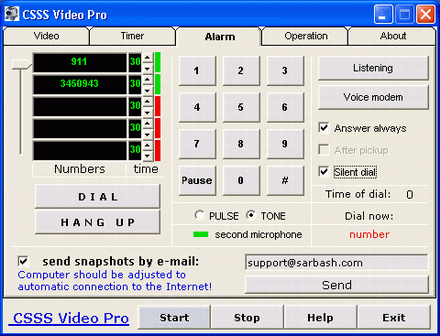
If you want receive e-mail with snapshots mark it and enter e-mail. First step - CSSS Video will connect to internet and send e-mail, and next step - call to you by telephone. If you use Dial Up connection to Internet - computer should be adjusted to automatic connection to the Internet! The modem is defined AUTOMATICALLY.
If you want the modem to answer the calls, it is necessary to note the appropriate options "answer always " - the modem will answer all the time, " After pickup " - the modem will answer only after pickup of the system. If the modem is with voice functions, and uses the second microphone for the modem calling, the user will hear what happens in the room. If the modem has not voice function the user will hear only squeak that is usual for data transmission (as fax).
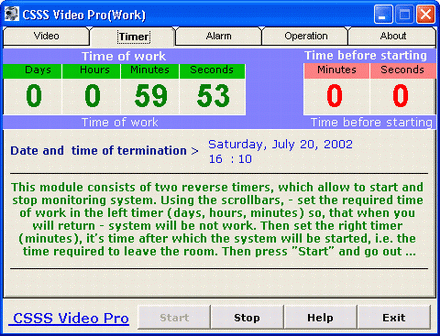
Timer module
Operation module - record files and play sound in alarm mode
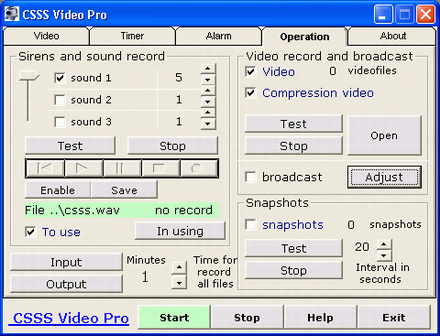
If using marked e-mail option and using dial up connection to Internet, recommended - set the maximum interval for creating snapshot.
The sound is saved in a file - "csss.wav". This file is in the directory where the program was installed, default it is - c:\Program Files\CSSS Video 1.0\. The video files location in \video\ directory. The snapshot - \pic\ directory.
The new version of this file always recovers the old one, that is why if it is necessary to keep the record, just copy it to any other directory.
Broadcasting